Document scanner app for android free download
If your desk has a pile of letters, forms and receipts you keep meaning to deal with, a scanner app on your phone is the cheapest fix. Easy Scanner is free to download on Android and doesn't take up much space.

Best Free Camera Scanner App for Android: EasyScanner
Easy Scanner turns your phone camera into a document scanner. You point it at a page, it finds the edges and crops it, and you end up with a clean PDF or image you can edit, file in a folder, print or send.
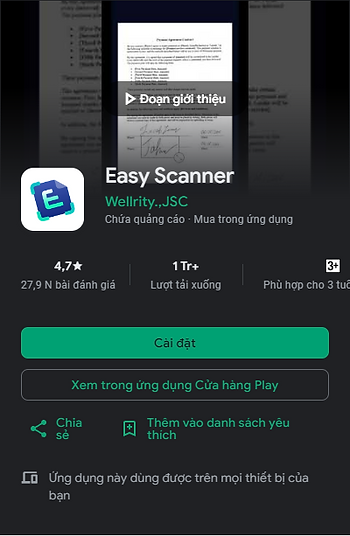
The app is made by Wellrity Joint Stock Company and has been on Google Play since 2018. It has passed 1,000,000 downloads and holds a 4.7-star rating from about 27.9K reviews. We think that makes it a fair candidate for the best free camera scanner app for Android in 2024, though you should try it on your own documents and decide.
Why choose EasyScanner?
- Several documents in one go: scan papers, forms or ID cards one after another without leaving the camera. It works on phones as well as on iPads and Galaxy Tabs.
- Data security: we keep the app clean, without clutter. Data is encrypted in transit, and you can ask us to delete your data at any time. That matters if you scan work documents in an office, a lab or a clinic.
- Works across devices: Easy Scanner is available on Android, iPhone, iPad and tablets, so you can scan on one device and pick it up on another.
Data privacy and protection
Here's what the store listing says, plainly. Privacy practices can vary with how you use the app, where you live and your age, and the developer updates this information over time. Easy Scanner may share data such as in-app activity and device identifiers with third parties, and it collects app performance data. Data is encrypted in transit.

Download and install EasyScanner
Easy Scanner is on the Google Play Store. Tap here to start the free download, then open the app and scan your first page.
If something doesn't work, email us at support@easyscanner.io. The support team is available 24/7.
Main features of EasyScanner
- OCR (optical character recognition): pulls the text out of a scanned image so you can copy or search it.
- Cloud storage: your scans are stored online, so you can open them from another device.
- PDF and JPEG export: save a scan as a PDF for sending or as a JPEG image.
- Batch scanning: scan a multi-page document in one session instead of page by page.
A good first test: scan a two-page letter in batch mode, export it as one PDF and email it to yourself. If that goes smoothly, the rest of the app will feel familiar.